The Udemie Snap Drew Every Frame on the CPU. One Line Fixed It.
Hovers lagged, the player controls felt heavy, and the graphics card sat idle. Inside the Snap, Mesa was looking for its drivers in a folder that had none.
By Emmanuel Zenderock
Creator of Udemie
- Published
- Reading time
- 2 min read
The short version
- Up to Udemie 3.6.3, the Linux Snap was slow everywhere: hovers, the player controls, the play/pause animation.
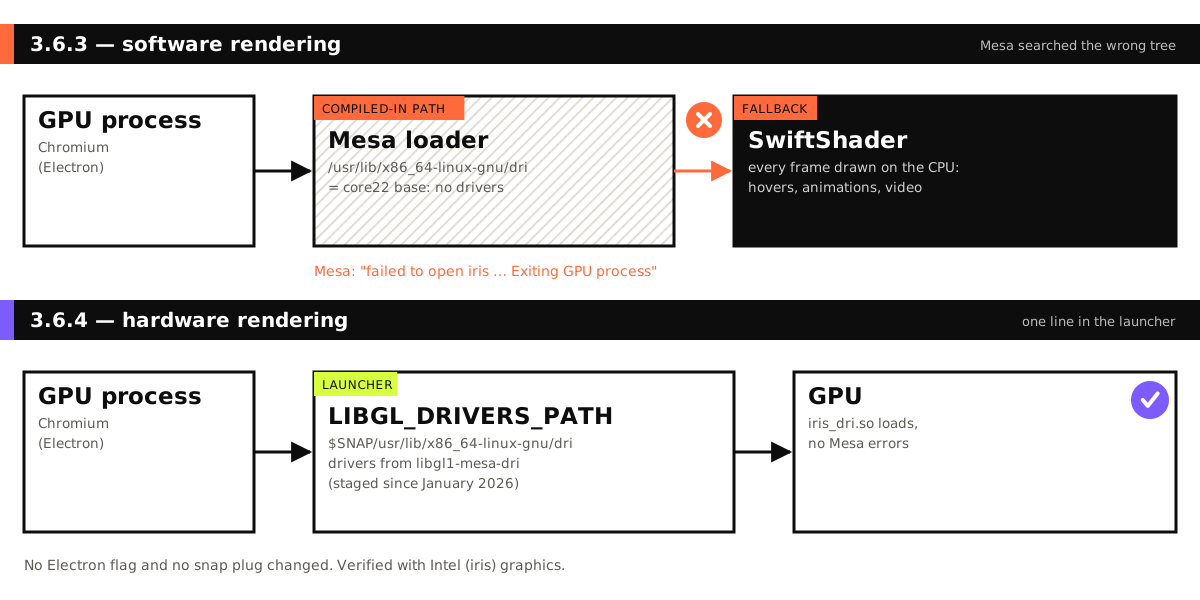
- Mesa, the Linux graphics library, looked for its GPU drivers in a system folder that inside the Snap belongs to the core22 base, which has none.
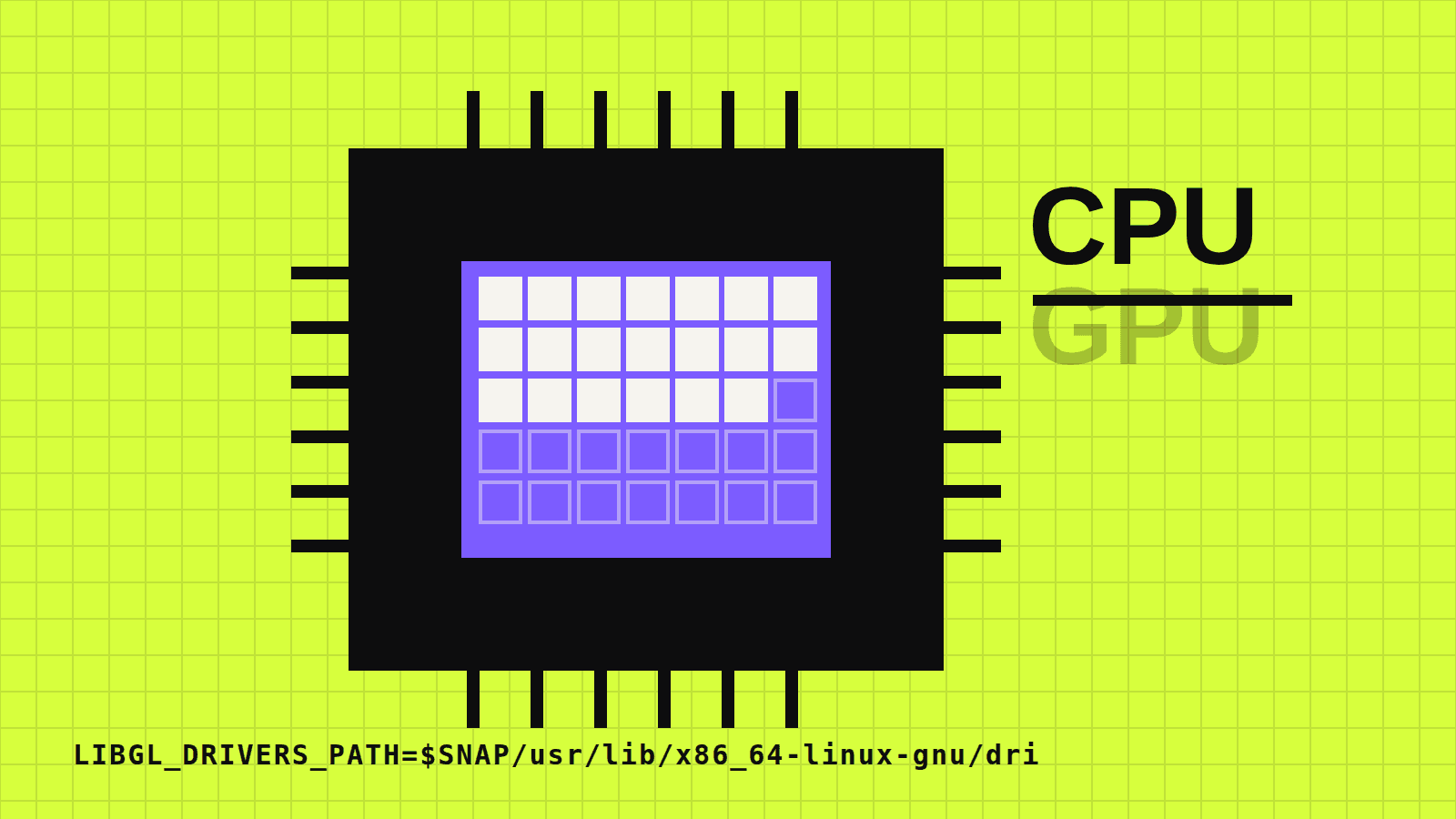
- Chromium’s GPU process failed to start, and Chromium fell back to SwiftShader, which draws every frame on the processor.
- The drivers were already inside the Snap. Udemie 3.6.4 adds one environment variable, LIBGL_DRIVERS_PATH, that tells Mesa where they are.
- No Electron flag and no Snap permission changed, and every Linux release build now checks that the drivers and the variable are present.
Nothing was broken, exactly. The Udemie Snap opened, courses played, downloads finished. It was just slow everywhere: hovering a card, moving over the player controls, the small animation when you press play or pause. On a machine with a perfectly good graphics card, the app felt like it was running without one.
It was. For every Snap release up to 3.6.3, Udemie on Linux drew every frame on the processor.
Who draws the pixels
Electron apps render with Chromium, and Chromium does its drawing in a separate GPU process. On Linux, that process asks Mesa, the open-source graphics stack, to load the driver for your graphics card. On an Intel machine, for example, that driver is iris_dri.so.
If the GPU process cannot get a working driver, Chromium does not give up. It switches to SwiftShader, a software renderer that produces the same pixels using the CPU. That is a sensible safety net: the app stays usable. It also means every hover, every animation and every video frame costs processor time instead of graphics hardware.
Looking in the wrong tree
Mesa looks for drivers in a folder compiled into it: /usr/lib/x86_64-linux-gnu/dri. On a normal Ubuntu install, that is where the drivers are.
Inside a Snap, /usr is not your system’s /usr. It is the Snap’s base, for Udemie core22, which does not contain graphics drivers. Mesa searched there, found nothing, and the GPU process gave up with an error in the logs:
MESA-LOADER: failed to open iris … Exiting GPU processThe irony: the drivers were in the Snap all along. Since January 2026 the Snap build has staged libgl1-mesa-dri, libgl1-mesa-glx and mesa-vulkan-drivers, under the Snap’s own directory, $SNAP/usr/lib/x86_64-linux-gnu/dri. They were present and never used.
One line
Mesa reads an environment variable that overrides its compiled-in search path. Udemie 3.6.4 sets it in the Snap’s launcher script, before the app starts:
# GPU. Mesa looks for its drivers under the compiled-in /usr/lib/x86_64-linux-gnu/dri, which
# inside the snap is core22's tree and has none. […] The drivers are staged with
# libgl1-mesa-dri; point Mesa at them.
export LIBGL_DRIVERS_PATH="$SNAP/usr/lib/x86_64-linux-gnu/dri"
That is the whole fix. It did not need:
- a new permission. The Snap has declared the
openglplug since its first version. - an Electron or Chromium flag. The launcher starts Udemie with the same switches as before.
- any change to the app itself. The Udemie code has no GPU switches at all; this was purely a packaging problem.
How it was verified
With the new launcher, the GPU process loads iris_dri.so with no Mesa errors, and rendering is back on the graphics card. That check was made on a machine with Intel graphics. We have not measured the speed-up in numbers, and we have not verified other drivers, such as NVIDIA’s proprietary one, in this setup.
To keep the fix in place, the Linux release workflow now installs each freshly built Snap and fails before publishing if the drivers (dri/*_dri.so) are missing from it, or if the launcher no longer sets LIBGL_DRIVERS_PATH.
If Udemie still feels slow on Linux
Check that the Snap is on 3.6.4 or later with snap info udemie. If the app is up to date and animations still stutter, tell us which graphics card and driver you use: it is exactly the information we don’t yet have for cards other than Intel’s.
- Linux
- Snap
- Mesa
- GPU acceleration
- Electron
About the author
Emmanuel Zenderock
Builds Udemie, the desktop app that keeps Udemy, Coursera and LinkedIn Learning courses available offline, and writes about how it works.
Also available as Markdown