Why Udemie’s Linux Snap Played Every Lecture in Silence
Video played, the progress bar moved, and not a sound came out. The cause was one missing library inside the Snap sandbox, and a fallback that confinement never lets through.
By Emmanuel Zenderock
Creator of Udemie
- Published
- Reading time
- 3 min read
The short version
- Up to Udemie 3.6.3, the Snap build on Linux played lectures with no sound at all. Windows was not affected.
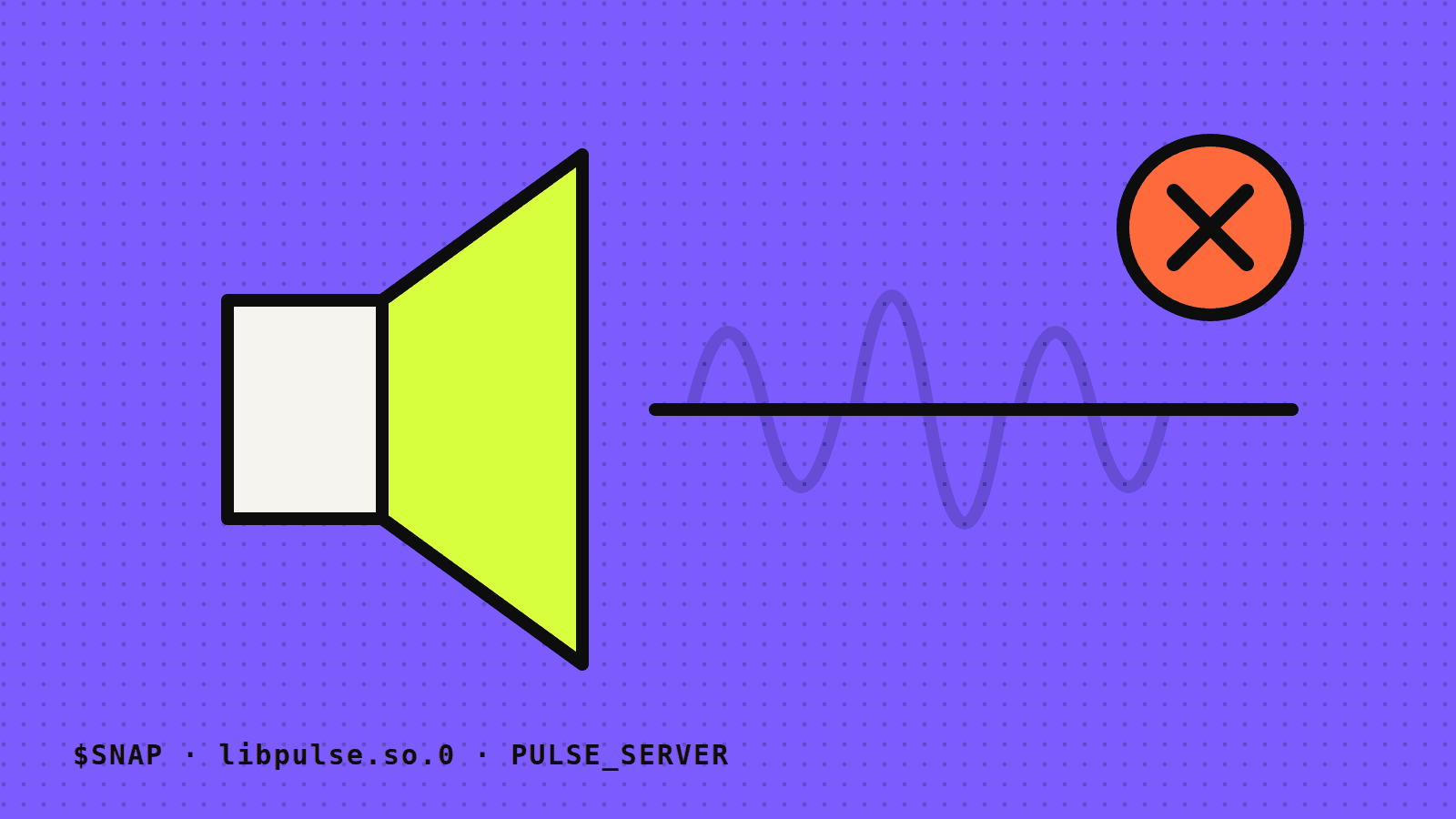
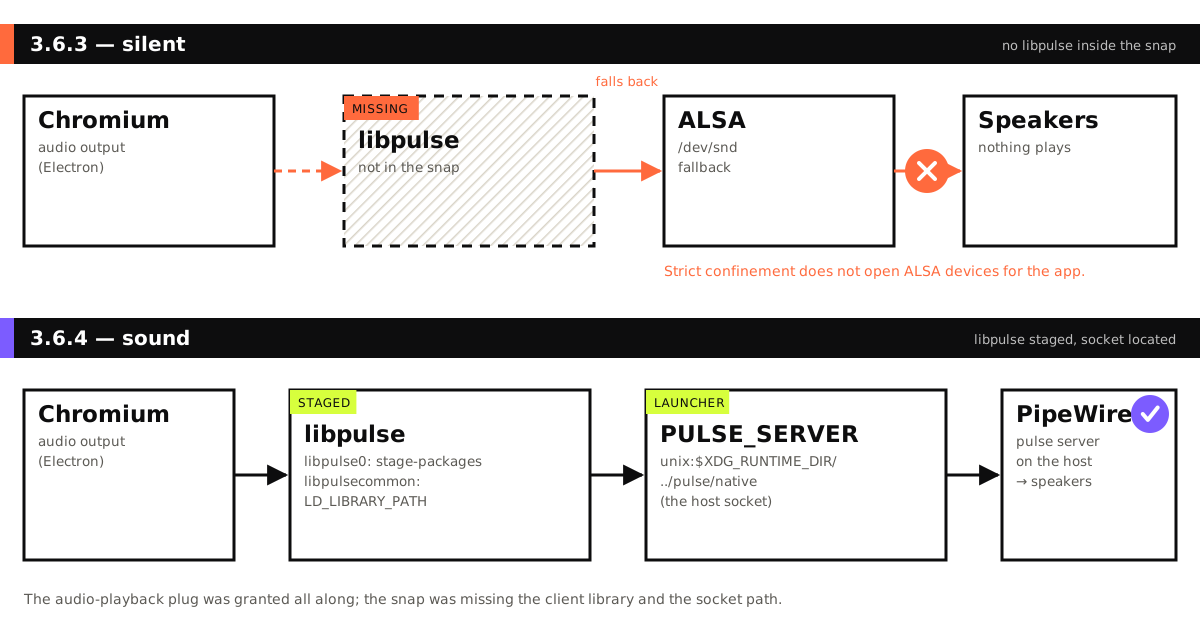
- The Snap did not contain libpulse, the PulseAudio client library, so Chromium fell back to ALSA, which strict Snap confinement does not open.
- The Snap already had the audio-playback permission. What it lacked was the library and the path to the host’s audio socket.
- Udemie 3.6.4 (September 23, 2026) ships libpulse, adds its helper library to the search path and points PULSE_SERVER at the host socket, which PipeWire answers on current Ubuntu.
- Every Linux release build now installs the Snap and refuses to publish it if any of these pieces is missing.
On Ubuntu, the Udemie Snap had no sound at all. The video ran, the progress bar moved, and the speakers stayed silent. The same lectures played with sound on Windows.
The cause turned out to have nothing to do with the player, and everything to do with the sandbox the Snap runs in. This is the story of why, and of the three lines in a shell script that fixed it in Udemie 3.6.4.
What a Snap can and cannot reach
A Snap runs under strict confinement: the app sees its own files, its base system (for Udemie, Ubuntu’s core22) and only what its plugs allow outside. Udemie’s Snap has declared the audio-playback plug since its first version, in December 2025. That plug is the permission to play sound through the desktop’s audio server.
So the permission was never the problem. The question was which road the audio took to get out.
How Chromium picks an audio output on Linux
Udemie is an Electron app, and Electron plays sound through Chromium. On Linux, Chromium sends audio to PulseAudio when it can load libpulse, the PulseAudio client library. On current Ubuntu releases the server behind that PulseAudio socket is PipeWire, through its PulseAudio-compatible server, so libpulse works unchanged.
When libpulse cannot be loaded, Chromium falls back to talking to the sound card directly through ALSA.
Two missing pieces
The Snap did not contain libpulse at all. Chromium took the fallback, and under strict confinement the ALSA devices are not open to the app. Neither road reached the speakers, and nothing crashed or logged an error a user could see. The lecture simply played in silence.
Shipping the library was only half of it:
libpulsecommonis hidden.libpulsedepends on a helper library that Ubuntu installs in a private subdirectory,/usr/lib/x86_64-linux-gnu/pulseaudio. Inside the Snap, the dynamic loader never looks there.- The socket is one level up. In a Snap,
XDG_RUNTIME_DIRis the app’s own directory,/run/user/<uid>/snap.udemie. The PulseAudio socket lives in the real runtime directory above it, at/run/user/<uid>/pulse/native, wherelibpulsedoes not think to look.
The fix
The Snap now stages libpulse0 next to the libraries it already carried, with a comment so that nobody removes it by accident:
stage-packages:
  # …
  # Chromium's audio output. Without it Chromium falls back to ALSA, which strict
  # confinement does not open, and the app is silent.
  - libpulse0
The other two pieces live in the Snap’s launcher script, the file that sets the environment before Udemie starts:
export LD_LIBRARY_PATH="${LD_LIBRARY_PATH:+$LD_LIBRARY_PATH:}$SNAP/usr/lib/x86_64-linux-gnu/pulseaudio"
if [ -z "${PULSE_SERVER:-}" ] && [ -S "$XDG_RUNTIME_DIR/../pulse/native" ]; then
  export PULSE_SERVER="unix:$XDG_RUNTIME_DIR/../pulse/native"
fi
The first line lets the loader find libpulsecommon. The if block points libpulse at the host’s socket, but only when the user has not set PULSE_SERVER already and only when the socket really exists. On a system with no audio server, it changes nothing.
How we know it works
The fix was first checked inside the confinement of an installed 3.6.3 Snap, running the new launcher with the library supplied: a Web Audio stream loaded libpulse and reached PipeWire. The published 3.6.4 Snap has sound again.
A silent Snap is easy to ship twice, because nothing fails loudly. So the Linux release workflow now installs the freshly built Snap and, from inside its sandbox, refuses to publish it unless:
libpulse.so.0is in the Snap,libpulsecommonis in itspulseaudiosubdirectory,- and the launcher sets
PULSE_SERVER.
This check confirms the files and the configuration are there. It does not play a sound, because the build machines have no speakers.
Without libpulse there was no sound at all.
If you still hear nothing
Make sure you are on 3.6.4 or later (snap info udemie shows the installed version) and that the audio-playback plug is connected (snap connections udemie). If both are right and a lecture is still silent, contact support and mention your Ubuntu version and whether other apps play sound.
The same Snap release also fixed hardware rendering on Linux, which had a very similar cause: the Snap had what it needed, but was looking for it in the wrong place.
- Linux
- Snap
- PulseAudio
- PipeWire
- Electron
About the author
Emmanuel Zenderock
Builds Udemie, the desktop app that keeps Udemy, Coursera and LinkedIn Learning courses available offline, and writes about how it works.
Also available as Markdown