The Best Way to Download Online Courses (and the Methods to Avoid)
Screen recording, browser downloaders, or a dedicated app? A practical comparison of how to download Udemy, Coursera and LinkedIn Learning courses for offline viewing.

By Emmanuel Zenderock
Creator of Udemie
- Published
- Reading time
- 2 min read
If you want to watch a course without a connection, you have a few options, and they are not equally good. Some are slow, some lose your subtitles and resources, and some leave you with a folder of unlabeled video files you'll never find again. Here's an honest comparison of the common methods, and where each one breaks down.
Short on time? The simplest reliable method is a dedicated app that keeps your courses organized. Try Udemie for free or see the supported platforms.
Method 1: Screen recording
Recording your screen while a lecture plays feels obvious, but it's the worst option in practice:
- It's real-time. A 12-hour course takes 12 hours to capture.
- No subtitles or resources. You get a video of a video: no subtitle tracks, no PDFs, no attachments.
- Quality loss. Re-encoding a playing video degrades it, and you inherit every buffer and stutter.
- Nothing is organized. You end up with one giant file per session, not a structured course.
Fine for a single clip. Hopeless for an actual library.
Method 2: Random browser downloaders
Generic "video downloader" extensions and sketchy websites promise one-click grabs. The trade-offs are steep:
- They break constantly when platforms change their players.
- They ignore structure. Lectures, sections, and titles are lost.
- Privacy risk. Many request broad permissions to read pages and network traffic.
You spend more time fixing failed downloads than learning.
Method 3: A dedicated course app
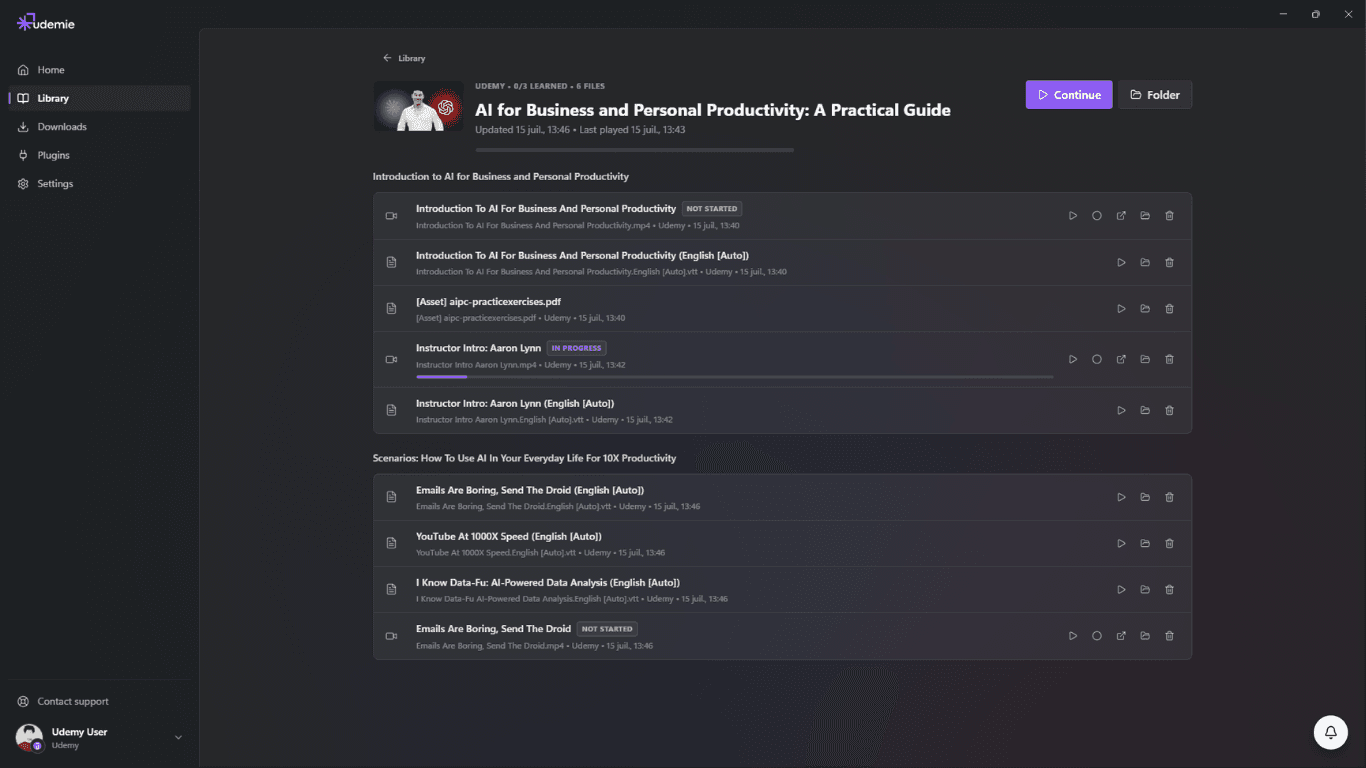
A purpose-built tool understands what a course actually is (sections, lectures, subtitles and resources) and keeps them together:
- Whole courses, organized. Videos land in a labeled local library, not a dump folder.
- Subtitles and resources included, so you can study offline with subtitles and keep the PDFs.
- A built-in player with progress tracking and notes, so you can watch courses offline exactly as you would online.
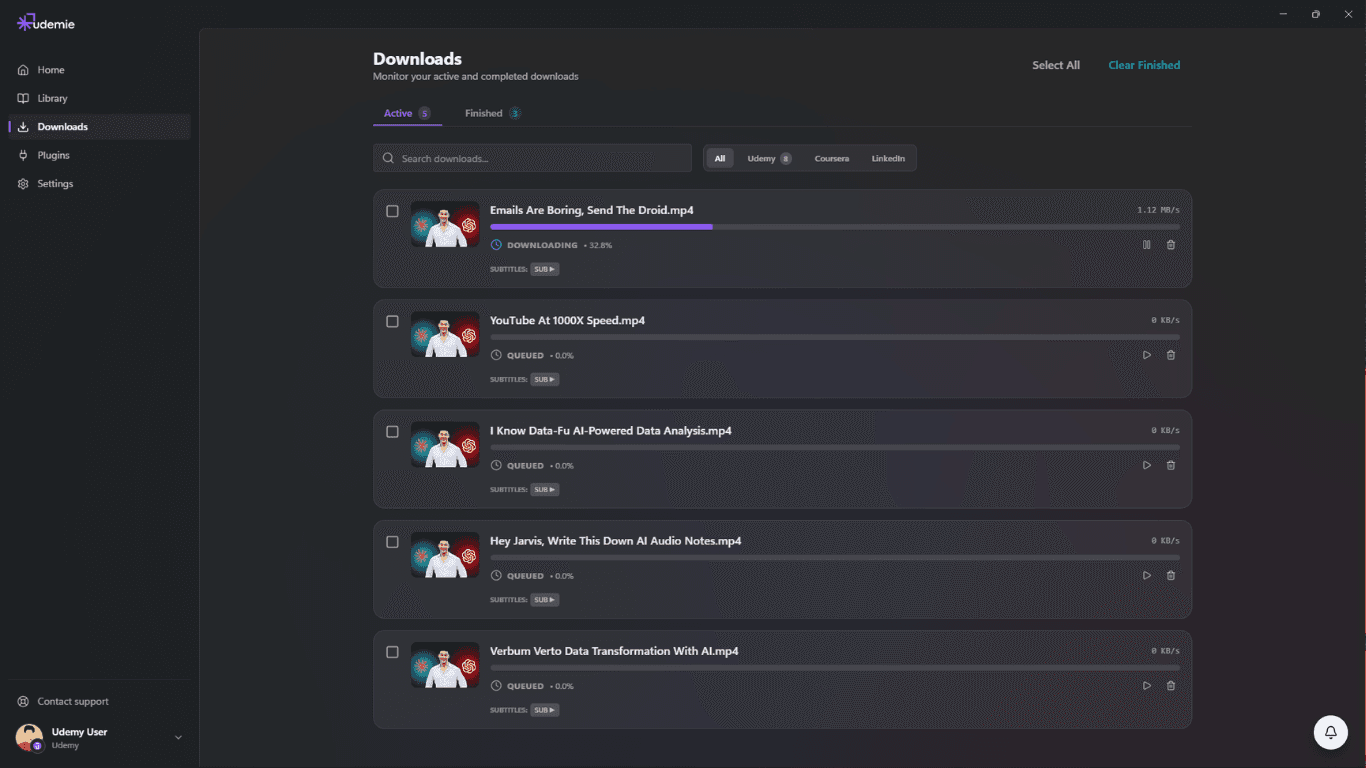
- Background downloads, so you queue a course and walk away.
This is the approach Udemie takes across Udemy, Coursera, and LinkedIn Learning.
A quick comparison
| Screen recording | Random downloaders | Dedicated app | |
|---|---|---|---|
| Speed | Real-time | Varies, unreliable | Fast, background |
| Subtitles & resources | No | Rarely | Yes |
| Organized library | No | No | Yes |
| Built-in player | No | No | Yes |
The bottom line
If you only need one clip, record your screen. If you want a real offline library you'll actually use (organized, with subtitles, resources and a player), use a dedicated app.
New to this? Start with Udemie for free, or read how offline learning works end to end.
- offline learning
- Udemy
- Coursera
- LinkedIn Learning
- comparison

About the author
Emmanuel Zenderock
Builds Udemie, the desktop app that keeps Udemy, Coursera and LinkedIn Learning courses available offline, and writes about how it works.
Also available as Markdown